
Los Angeles · Temporary Power Services
Portable WiFi
Bonded 5G and LTE routers with outdoor mesh coverage, deployed for job trailers, gates and cameras without waiting on a fiber install.
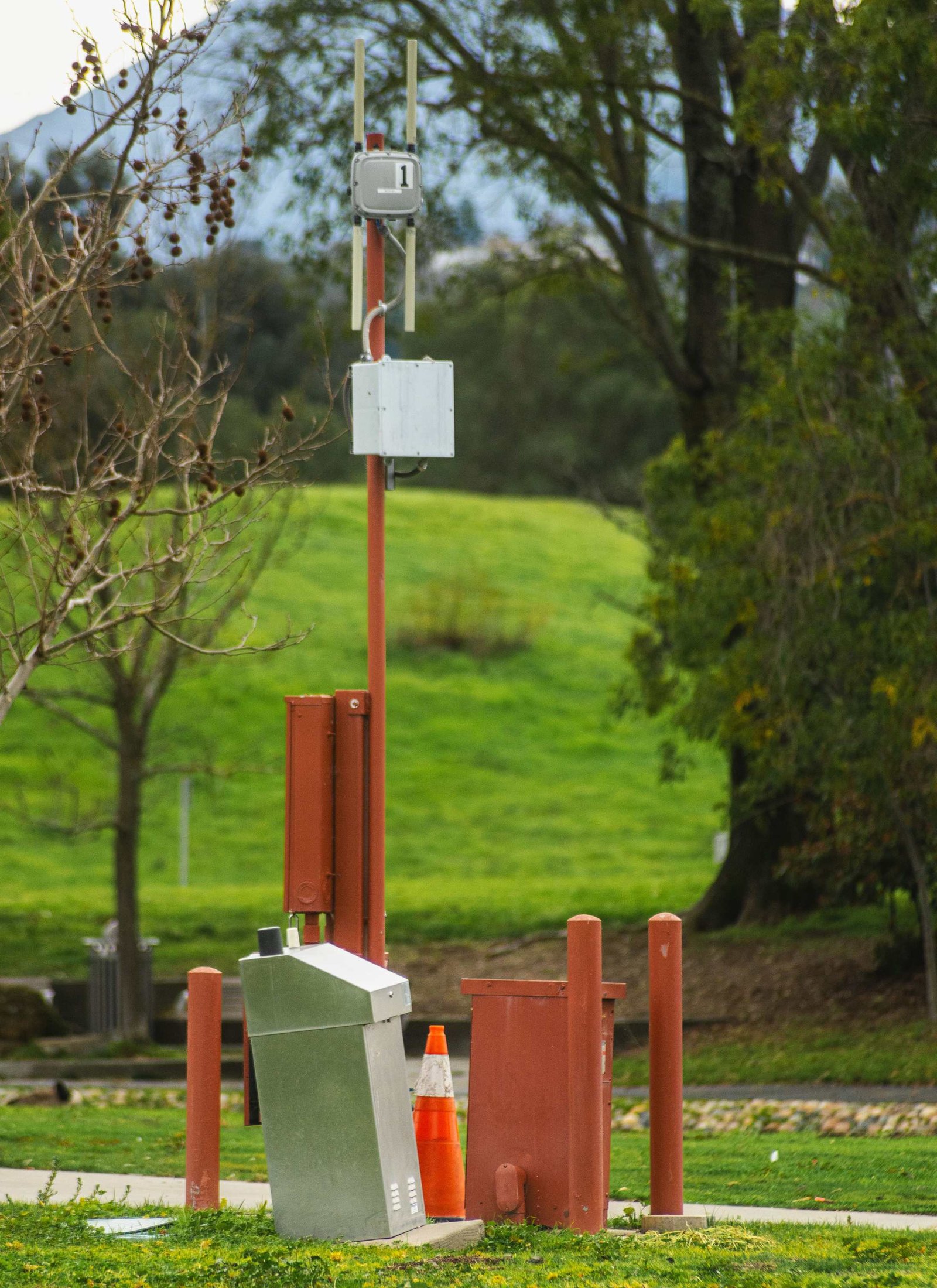
Portable WiFi · Los Angeles
Connectivity on a Site With No Fiber
Portable WiFi is a self-contained internet connection you can put anywhere, running on cellular rather than a wired line. We deploy it across Los Angeles for job trailers, gate houses, sales offices, event builds and film locations, on sites where a fiber install would take four months and cost more than the project can carry. The setup is a ruggedized router that bonds two or three carriers into one connection, a set of weatherproof outdoor access points that push coverage across the site, and a managed network we monitor remotely. That is enough to run video calls with the architect, pull full-size drawing sets, keep the printer and the time clock online, and give site security cameras the static addresses they need. Month-to-month terms, delivered and installed by us, no carrier contract to sign.
Why Rent Connectivity From an Electrical Contractor
Most portable WiFi you can rent is a consumer hotspot in a padded case. It works at a desk and fails on a jobsite, where the router is two hundred feet from the crew, behind rebar and inside a metal trailer. We treat the network as site infrastructure. We survey the property, mount the antenna where it actually sees a tower, run the access points on real cabling with surge protection, and put it all on conditioned power off the temp service we probably installed for you. Bonding multiple carriers matters too. One carrier throttles hard after a data cap and drops out entirely in parts of the basin, so we combine two or three and let the router fail over without anyone noticing. If it goes down we see it before your superintendent calls.
- Two and three carrier bonding with automatic failover
- Outdoor mesh coverage across the whole site
- Static addressing for cameras and access control
- Managed firewall and 24/7 remote monitoring
Reasons to Put WiFi on a Jobsite
These are the situations where crews stop tolerating a phone hotspot and call us.
There is no wired line and no time to wait
Raw lots, canyon properties, industrial parcels and new subdivisions frequently have no serviceable fiber or coax at all. Where a line does exist, the install quote often runs months out. Cellular gets you online this week instead.
The trailer team works in drawings and models
Full drawing sets, BIM models, punch-list photos and video walkthroughs with an off-site architect all move real volumes of data. A phone tethered to a laptop cannot carry that for a full crew, and the person doing the tethering loses their phone all day.
You are running cameras or access control
IP cameras, gate intercoms, smart locks and badge readers need continuous uplink and, in most cases, static addressing. Those devices belong on a managed network with its own segment rather than sharing whatever the foreman is using.
Coverage has to reach past the trailer
Inspections get logged at the slab, deliveries get signed at the gate, and daily reports get filed from wherever the superintendent happens to be standing. Outdoor mesh access points cover the working area, not just the twelve feet around the router.
A single carrier keeps letting you down
Every carrier has dead spots across Los Angeles, and every unlimited plan throttles once a site starts pulling real data. Bonding carriers means a slow tower or a network outage degrades your speed instead of stopping your day.
Tell us the trailer location, the gate and how many cameras you plan to run, and we will design around it. Call: (818) 463-2446
How We Work
One project manager runs your job from the first phone call through removal. Here is the flow:
1. Site survey
We walk the property or review the site plan, test carrier signal at the spots that matter, and work out where the router mounts, where the access points go, and whether a directional antenna or a point-to-point link is needed to reach a far corner.
2. Design and provisioning
We choose the carrier combination that tests best at your address, order the SIMs and hardware, and pre-configure everything in our shop. Network segments, static addresses for cameras and firewall rules are set before the equipment leaves the bench.
3. Install and monitor
Our crew mounts the router and antennas, runs and terminates the cabling, places the outdoor access points, runs speed tests across the site, and adds the network to our remote monitoring. We get alerted on a fault, usually before anyone on site notices.
What a Deployment Includes
Bonded multi-carrier routers
The core of every deployment is an industrial router running two or three carrier SIMs at once. Traffic is spread across them and reroutes automatically when one degrades. Real-world throughput across Los Angeles usually lands between 50 and 500 Mbps depending on the address and the tower load.
Outdoor mesh access points
Weatherproof access points on poles, trailers or temporary masts extend usable coverage across the working area. On larger sites we link buildings or trailers with a point-to-point radio rather than trenching a cable that will be dug up in a month.
Static addressing and network segmentation
Cameras, gate hardware and VPN endpoints get static addresses and their own segment, so guest devices and crew phones cannot slow down or reach the systems that matter. The whole network sits behind a managed firewall we maintain.
Power and mounting done properly
Site electronics fail from bad power and bad mounting far more often than from bad signal. We power everything through surge protection off the site service, use outdoor-rated enclosures, and mount to survive wind, vibration and the occasional forklift.
Short-term and event deployments
Not every deployment lasts a year. Film locations, expos, festivals and disaster response all need connectivity for days rather than months. We rent the same hardware short-term with a technician on site for setup and teardown.
What Affects the Cost of Portable WiFi
Portable WiFi is billed as a flat monthly or weekly fee covering hardware, SIMs, data and our monitoring. What changes the number:
- How many carriers are bonded. A single carrier is the cheapest option and works fine in strong coverage. Two or three carriers cost more and are what you want when downtime stops the job.
- How many access points the site needs. One router covers a trailer. Covering a full city block of construction takes several outdoor units and the cabling to reach them.
- How much data the site actually moves. Standard plans cover normal office and field use. Constant video feeds from a camera system push you into a higher tier.
- Static addresses and security features. Cameras, access control and VPN endpoints need static addressing and managed firewall rules, which sit above the basic plan.
- How long the deployment runs. Month-to-month keeps the most flexibility. Commitments of six months or more earn a lower rate, and long projects can buy the hardware outright.
- Whether we install it or ship it. Full survey, mounting and cabling by our crew costs more up front than a drop-shipped router and pays for itself the first time signal is marginal.
Bottom line: a flat monthly fee, no carrier contract, no overage surprises, supported by the people who installed it.
Frequently Asked Questions
Can I rent a portable WiFi device instead of buying one?
Yes, and for a construction project renting is almost always the better call. You get the hardware, the SIMs, the data plan and the support as one monthly fee, and it all goes back when the job closes out. Buying makes sense only if you will move the same kit between sites for years.
How much does portable WiFi cost per month?
It depends on carrier bonding, access point count, data tier and how long you need it. A single-carrier router for a trailer is a modest monthly fee. A bonded multi-carrier network with outdoor coverage and camera addressing costs more. Call (818) 463-2446 for a free estimate on your site.
Can I get portable WiFi without an internet provider?
That is exactly what this is. There is no wired line, no installation appointment and no account with a local ISP. The router pulls its connection from cellular networks, so the only requirement is usable signal at your address, which we verify during the survey.
How fast is it really?
Across Los Angeles we typically see 50 to 500 Mbps down depending on the address, the towers in range and the time of day. That is enough for video calls, large drawing downloads and a camera system running at once. We test at your specific location before quoting, so the number you get is measured rather than promised.
Will it cover the whole site or just the trailer?
Whatever you need it to cover. A single router covers a trailer and the area right around it. Adding outdoor mesh access points extends usable coverage across a slab, a yard or several buildings. We design the layout from your site plan.
Can the same network run my site cameras?
Yes, and it usually should. We put cameras on their own segment with static addresses so a phone streaming music cannot interfere with a recording. Many customers deploy both together and we coordinate the two installs on the same visit.
What happens if it stops working?
We monitor every network we deploy, so a fault typically raises an alert on our side first. Most issues resolve remotely. If hardware needs replacing, we carry spares and swap the unit rather than starting a warranty claim while your crew waits.
Need temp power in LA?
Tell us about your site and we will call back within one business hour with a flat-rate quote.
Or call us now: (818) 463-2446